Unity (C#)
FoodMaze
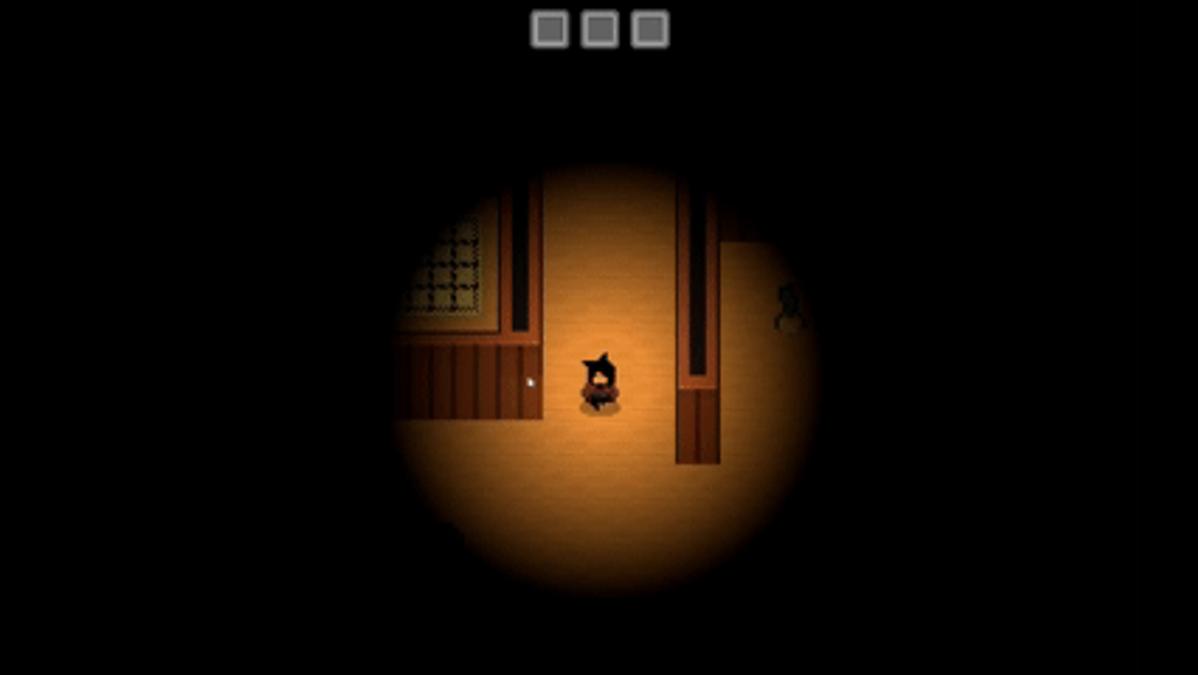
Study a recipe, enter the cupboard and search its maze for the right ingredients. You can only carry three items, so each choice matters. Trade with roaming animals, open new parts of the maze and return to the kitchen with the correct recipe. One wrong dish ends the run.
Project Overview
FoodMaze is a 2D memory and exploration game made in Unity. The player studies a recipe for a few seconds and then enters a large cupboard maze. The goal is to find the right ingredients and bring them back to the kitchen.
The game has three recipes. Each correct dish opens a new part of the maze. A wrong dish ends the run.
Gameplay Systems
The player must remember recipes, explore the maze, collect ingredients and return to the kitchen. The inventory has three slots, so the player must choose which items to carry. Items can also be dropped to make room.
Animal characters wander through the maze and offer trade quests. Their dialogue changes based on the current quest and the items in the player’s inventory. Completing a trade gives the player an ingredient needed for a recipe.
Doors block parts of the maze until the player completes each stage. The game also includes area lighting, sound effects, interaction prompts and clear win and loss screens.
Technical Approach
The game uses Unity 6 and C#. It also uses the Input System, 2D physics, Tilemaps, URP 2D lights, TextMesh Pro and uGUI.
ScriptableObjects store recipes, ingredients and quests. This lets the team create new content without changing the game code.
The game places animals and ingredients at valid random points in each open area. It checks the floor, walls, area borders, current inventory and existing objects before choosing a spawn point.
The player uses Rigidbody2D for movement. Other systems control animation, sound and the direction the player faces.
Architecture
The project splits each feature into a small Unity component. A shared IInteractable interface lets the same player system interact with ingredients, animals and doors.
Separate managers control the inventory, recipes, dialogue, area progress and scene flow. Each manager has a clear task. For example, the inventory manager owns item slots, while the kitchen manager checks the chosen ingredients.
Persistent objects keep the player, inventory, unlocked areas, animals and ingredients active between scenes.